Master Bill of Material
Master Bill of Material Features
Master V4
Go to Stock/ Service Item to create RAW MATERIALand FINISHED GOODS
To our advice :RAW MATERIAL item code start from (R) and FINISHED GOODS start from (F)
1 Stock - Manufacturing - BOM
- Bill of Material
- Create new BOM Code
- Select Stock Code
- Assemby Cost
- Project /Location (If necessary)

- Select BOM Code
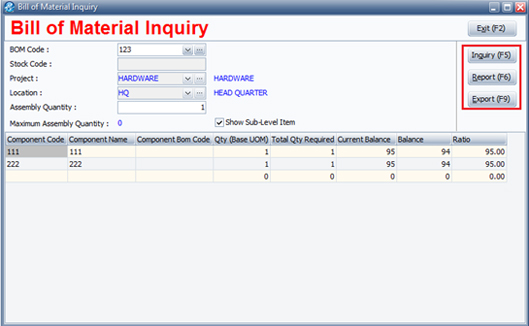
Click BOM Inquiryto check available stock quantity
Inquiry (F5)to view details
- AllowExport (F9)to Excel

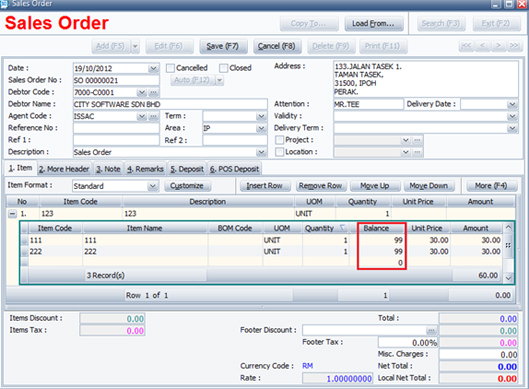
- You also can check available stock quantity when issue Sales Order.
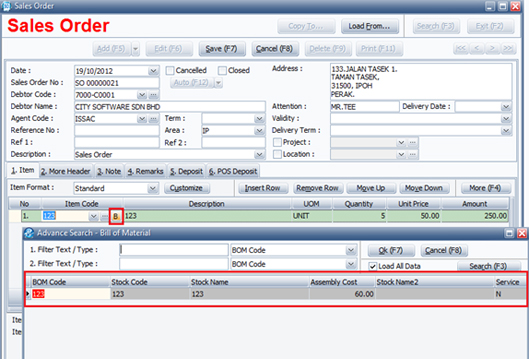
- Stock Option - (6) Other - Display 3 - Tick "Show BOM Item in Sales Order"
click the"B"button to select item code, after select you can view the stock balance at bottom.
- But, before that you have to do setting at Stock Option
Job Order
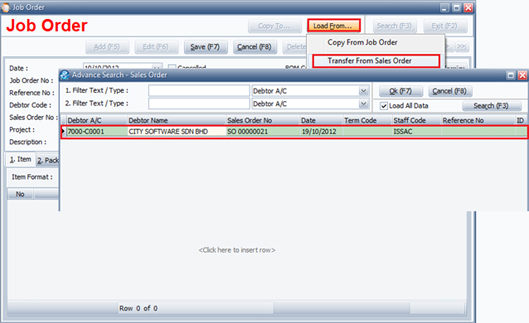
- After issue Sales Order, Go to Stock - Manufacturing BOM - Job Order
- ClickLoad From.. Transfer From Sales Orderto select which doc you want to
load. 1 Job Order 1 production, although you have 5 items in a Sales Order
Stock Assembly
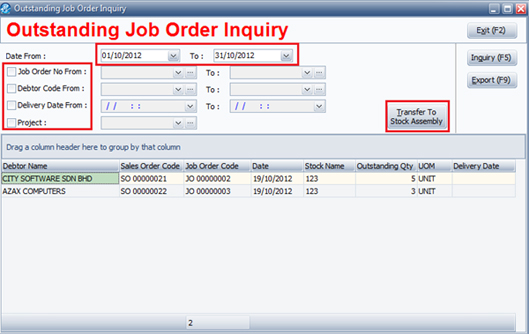
- After complete Job Order, click"Copy To…. Transfer To Stock Assembly"
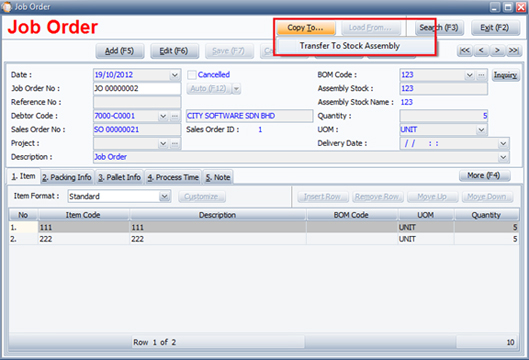
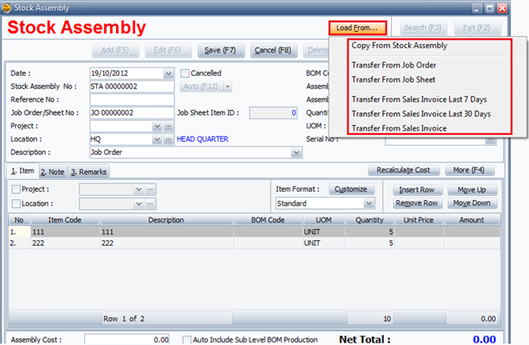
In addition, you can transfer from Job Sheet and Invoice
Stock Disassembly (Less raw material or return)
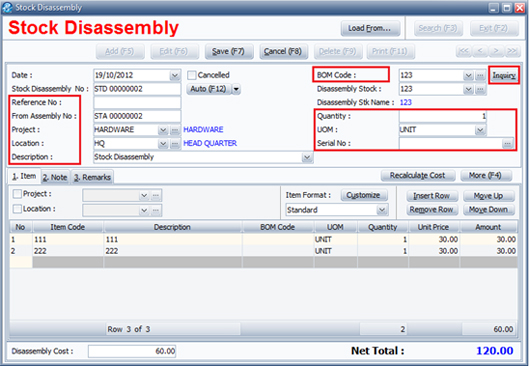
- Create new Stock Disassembly
- Reference No/ Debtor Code/ BOM Code/ Quantity/ UOM/
- From Assembly No : Key in Assembly doc no. which doc or BOM code you want to disassembly.
- Serial No /Project /Description (If necessary)
Inquiry
Manufacturing Inquiry
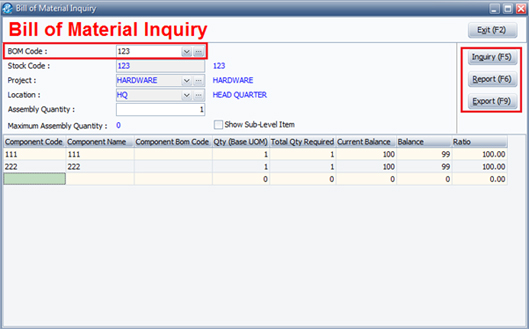
- BOM of Material Inquiry - The balance quantity of Raw Material
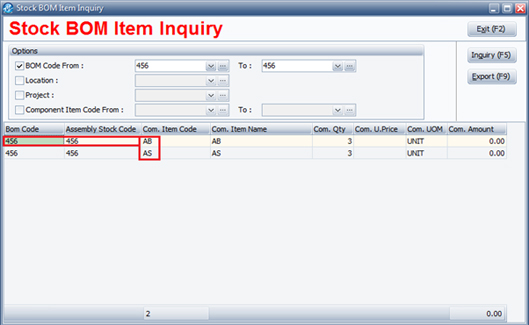
- Stock BOM Item Inquiry
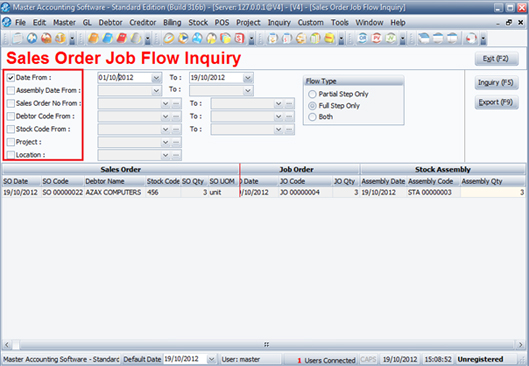
- Sales Order Job Flow Inquiry
- Outstanding Job Order Inquiry - Allow direct Transfer to Stock Assembly